
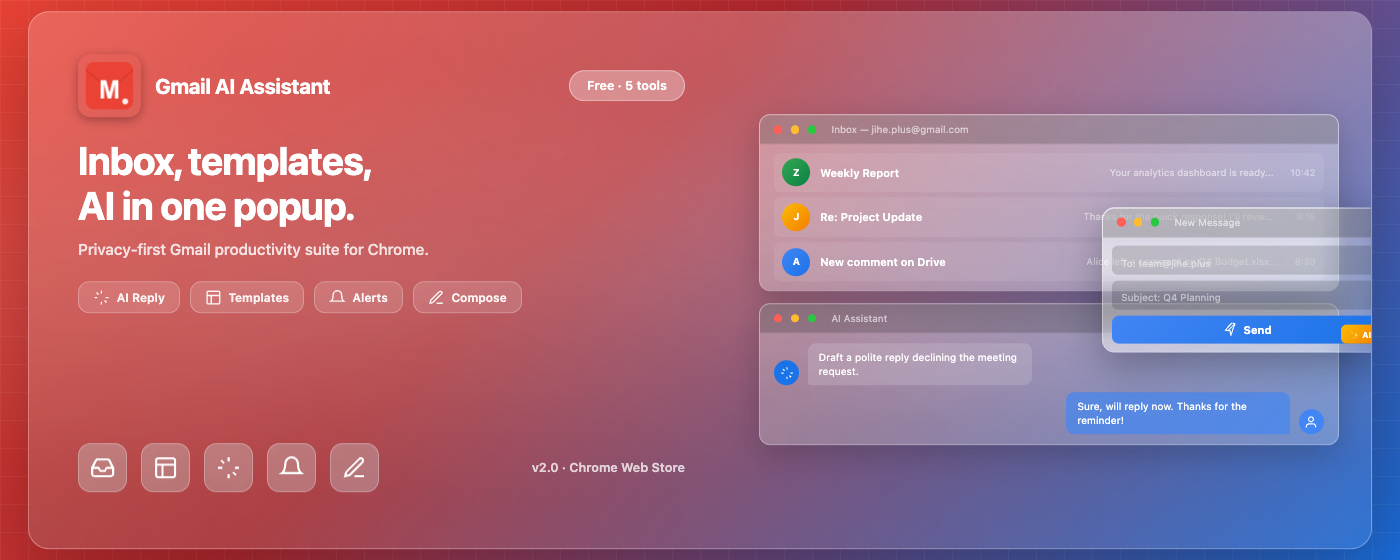
在工具栏弹窗查看收件箱列表,标记已读/未读、归档、删除,无需打开 Gmail 页面。
最新更新
当前版本
2.0.2
- 收件箱管理:查看、标记已读/未读、归档、删除 Gmail 邮件,本地安全缓存与增量同步。
- 未读 Badge 与通知:工具栏显示未读数量,新邮件桌面通知,支持通知操作(标记已读、归档)。
- 本地邮件模板:创建、编辑、删除、搜索模板,插入到撰写窗口或快速回复。
- 手动 AI 辅助:用户主动触发,支持 OpenAI / DeepSeek / 火山引擎等兼容接口。
- 状态诊断:OAuth、Gmail API、通知权限、Storage、Content Script 状态检测与修复建议。
联系支持
为了更快定位问题,请在邮件中附上 Chrome 版本、扩展版本、操作系统、正在操作的模块、错误提示截图或日志片段。请不要发送 Gmail 密码、私钥、API Key 和访问令牌等敏感信息。
-
@
支持邮箱
web@ijihe.com。通常请在邮件主题中写明"Gmail Plus + 问题类型"。
-
i
建议提供的信息
Chrome 版本、操作系统(Windows/Mac/Linux)、扩展版本、复现步骤、错误提示、相关功能模块名称。
-
!
敏感信息提醒
反馈时请先隐藏 Gmail 密码、API Key、OAuth Token、邮件内容或其他敏感信息。
产品能做什么
Gmail Plus 是面向个人的 Gmail 增强 Chrome 扩展,帮助用户在浏览器工具栏快速处理邮件、管理模板、接收通知和使用 AI 辅助撰写。
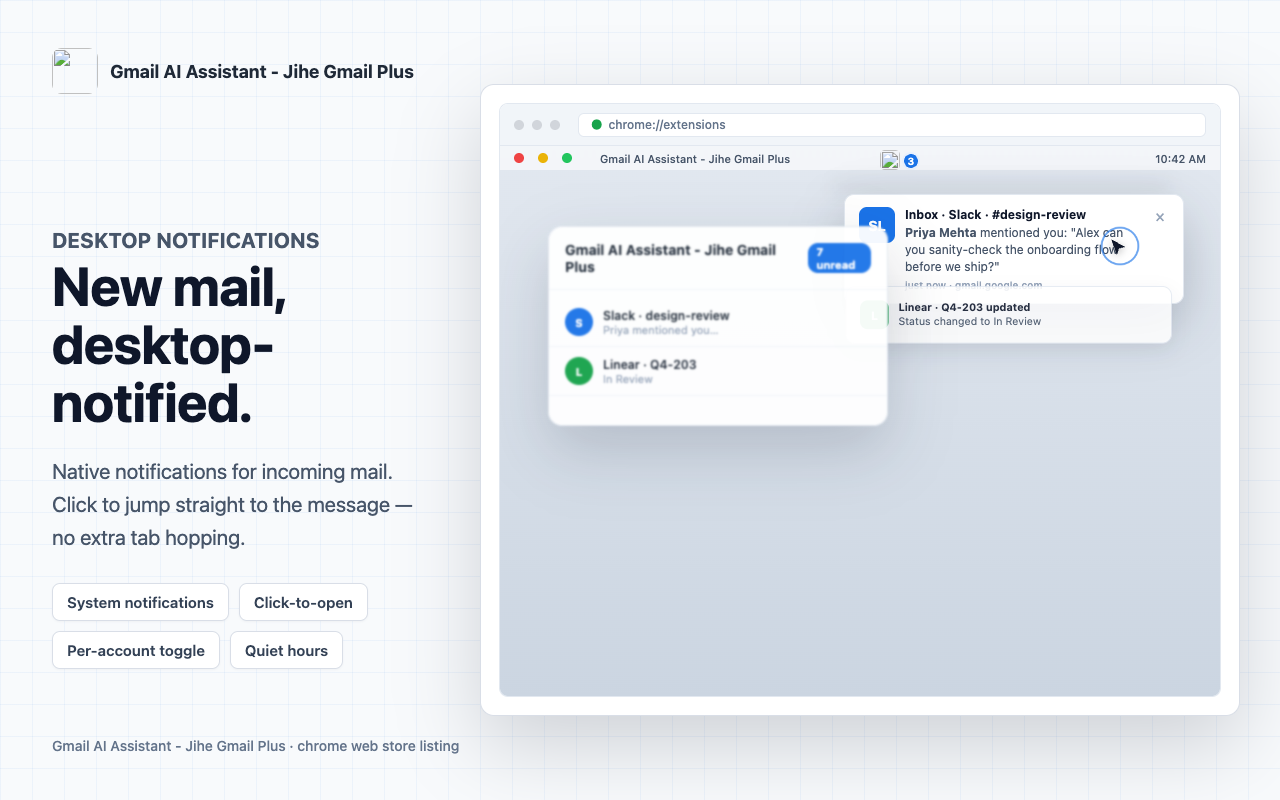
自动检查新邮件并发送桌面通知,点击通知可直接跳转到对应邮件。
创建、编辑、删除邮件模板,在撰写时快速插入,支持变量替换。
用户主动触发,生成、改写或摘要邮件内容,支持多种 AI 提供商。
一键检测 OAuth、API、通知权限、存储状态,帮助快速定位问题。
数据默认保存在本地浏览器,不上传完整邮件内容,AI 请求由用户主动触发。
界面预览
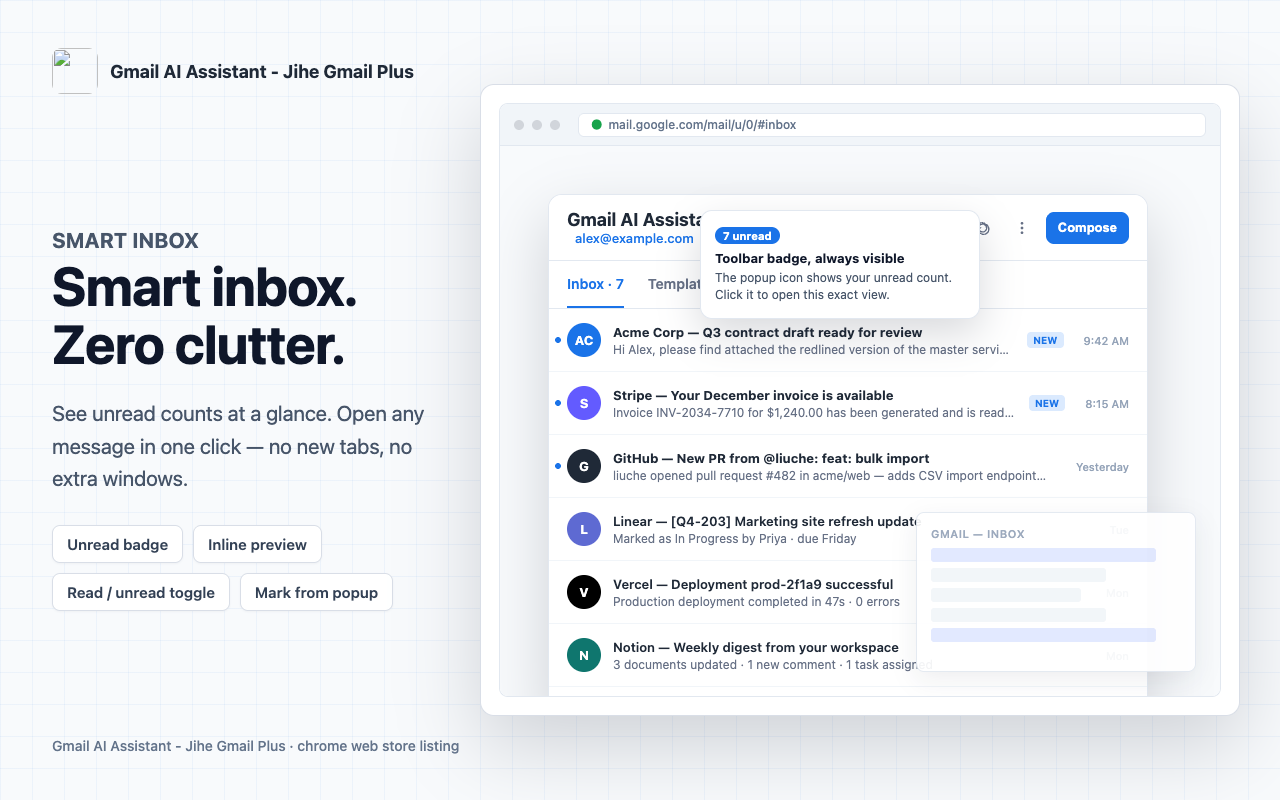
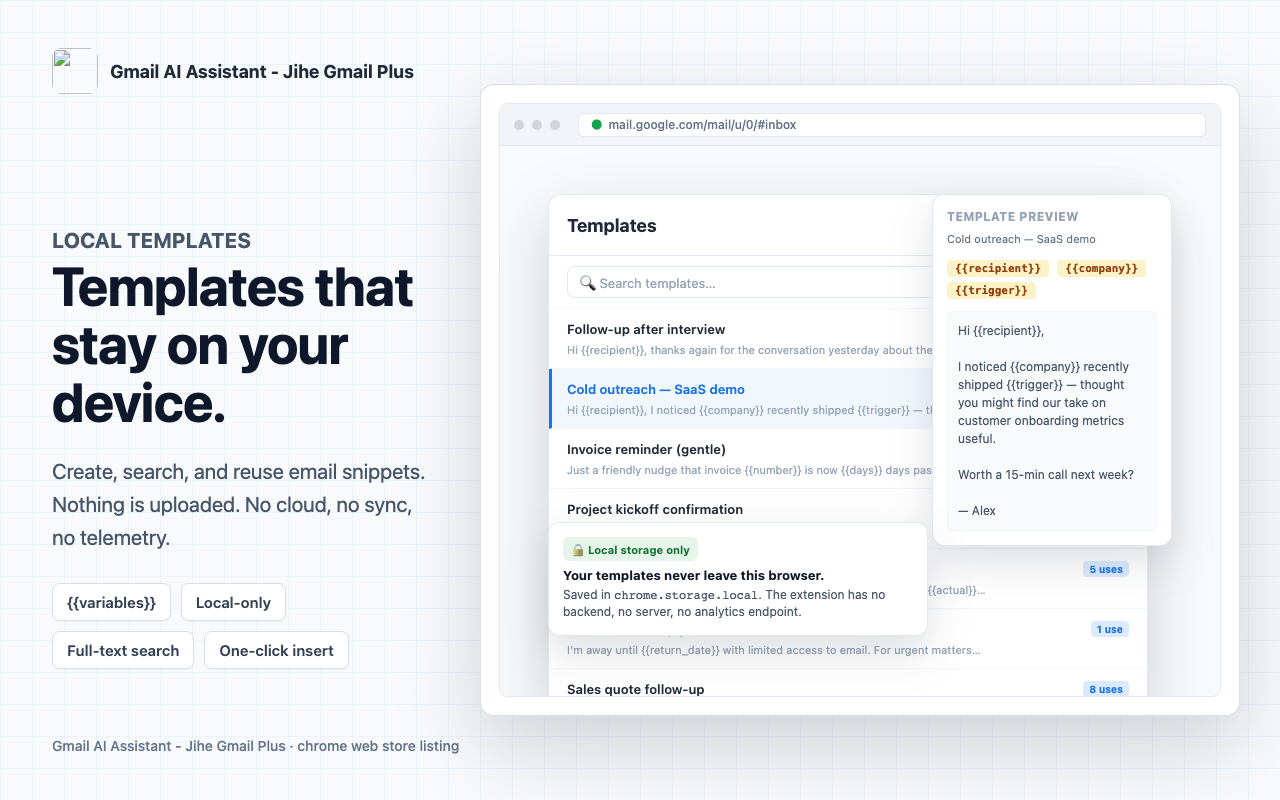
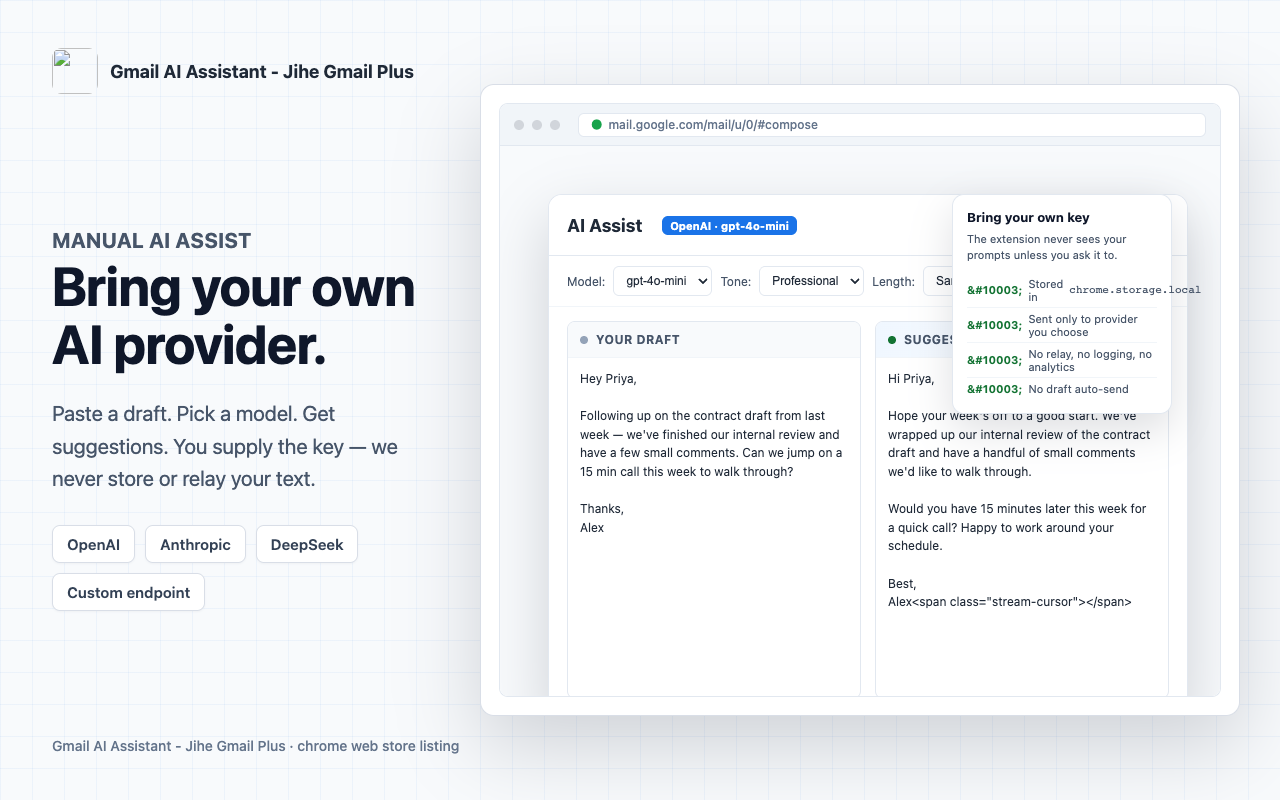
以下截图来自 Chrome 网上应用店 Gmail Plus 商店页,覆盖收件箱、模板、AI 辅助、通知和撰写场景。
常见问题
在 Chrome 网上应用店搜索"Gmail Plus",点击"添加至 Chrome"即可。安装后点击工具栏图标即可使用。
Gmail Plus 使用 Gmail API 读取你的邮件列表和执行操作(如标记已读、归档)。这需要你的授权,授权通过 Google 官方的 OAuth 流程完成,我们无法获取你的密码。
不会。Gmail Plus 只缓存邮件摘要(发件人、主题、日期),不保存完整邮件正文、附件或联系人。AI 辅助功能只在用户主动输入文本时发送内容。
请确认:1. Chrome 通知权限已开启(设置 > 隐私和安全 > 站点设置 > 通知);2. 系统通知未被屏蔽;3. Gmail Plus 的通知开关已打开;4. 通知频率设置合理。可以在扩展诊断页面检查通知状态。
在扩展设置页面找到"AI 设置",选择或添加 AI 提供商(支持 OpenAI、DeepSeek、火山引擎等),填入 API Endpoint、模型名称和 API Key。保存后在邮件撰写时点击 AI 辅助按钮触发。
在 Chrome 地址栏输入 chrome://extensions/,找到 Gmail Plus,点击"移除"即可。移除后本地存储的模板和设置也会被清除。
访问 Google 账号权限页面,找到 Gmail Plus 并点击"移除访问权限"即可。
故障排查步骤
登录或 OAuth 问题
- 确认网络连接正常,可以访问 Google 服务。
- 清除浏览器缓存和 Cookie 后重试。
- 确认 Google 账号没有开启两步验证或特殊安全限制。
- 在扩展诊断页面检查 OAuth 状态。
- 如果仍无法解决,联系支持邮箱。
收件箱不同步问题
- 点击扩展图标手动刷新。
- 检查扩展是否被暂停或禁用。
- 确认 Chrome 已授予 Gmail Plus 必要的站点权限。
- 清除本地缓存后重新登录。
- 如果问题持续,发送诊断信息到支持邮箱。
隐私与数据安全
本地优先
Gmail Plus 主要在你的浏览器本地运行。模板、设置、AI API Key 等数据保存在 Chrome 本地存储中,不会上传到第三方服务器。
请谨慎处理敏感信息
反馈问题时,请隐藏 Gmail 密码、API Key、OAuth Token、邮件内容或其他敏感信息。详见隐私政策。
版本与更新
当前版本为 Gmail Plus 2.0.2。Chrome 网上应用店版本会自动更新。如有问题或反馈,请通过页面上的支持邮箱联系我们。
最后更新:2026-09-09。
Latest Update
Current version
2.0.2
- Inbox management: View, mark read/unread, archive, and delete Gmail messages with local secure caching and incremental sync.
- Unread badge & notifications: Toolbar badge shows unread count, desktop notifications for new emails with quick actions (mark read, archive).
- Local email templates: Create, edit, delete, search templates and insert into compose window or quick reply.
- Manual AI assist: User-triggered AI assistance supporting OpenAI, DeepSeek, Volcengine, and custom endpoints.
- Diagnostics: One-click check for OAuth, Gmail API, notification permissions, storage, and content script status.
Contact Support
To help us diagnose your issue quickly, include your Chrome version, extension version, operating system, affected module, reproduction steps, screenshots, and any error messages. Do not send passwords, private keys, API keys, or email content.
-
@
Support email
web@ijihe.com. Please include "Gmail Plus" and the issue type in the subject line.
-
i
Helpful details
Chrome version, OS (Windows/Mac/Linux), extension version, reproduction steps, error text, and related feature name.
-
!
Protect sensitive information
Please redact Gmail passwords, API keys, OAuth tokens, email content, or other sensitive data before sending. See our Privacy Policy.
What Gmail Plus Does
Gmail Plus is a personal Gmail enhancement Chrome extension that helps you manage emails, templates, notifications, and AI-assisted composing directly from the browser toolbar.
View inbox list, mark read/unread, archive, and delete emails from the toolbar popup without opening Gmail.
Auto-check for new emails and send desktop notifications. Click to jump directly to the email.
Create, edit, delete email templates with search and variable support for quick insertion.
User-triggered AI for generating, rewriting, or summarizing email content with multiple provider support.
One-click diagnosis for OAuth, API, notification permissions, storage, and content script status.
Data stored locally in browser. No full email content uploaded. AI requests triggered only by user action.
Interface Preview
The screenshots below are the same ones used on the Chrome Web Store listing for Gmail Plus, covering inbox, templates, AI assist, notifications, and compose scenarios.
FAQ
Search for "Gmail Plus" in the Chrome Web Store and click "Add to Chrome". The extension will be ready to use from the toolbar.
Gmail Plus uses the Gmail API to read your inbox and perform actions (mark read, archive, etc.). Authorization uses Google's official OAuth flow — we never see your password.
No. Gmail Plus only caches email metadata (sender, subject, date). It does not store full message bodies, attachments, or contacts. AI assist only sends content you actively input.
Check: 1) Chrome notification permission is enabled (Settings > Privacy and security > Site settings > Notifications); 2) System notifications are not blocked; 3) Gmail Plus notifications are turned on; 4) Notification frequency is reasonable. Use the diagnostics page to check notification status.
Go to extension Settings > AI Settings, choose or add an AI provider (OpenAI, DeepSeek, Volcengine, etc.), enter API Endpoint, model name, and API Key. Save, then click the AI assist button when composing.
Type chrome://extensions/ in Chrome's address bar, find Gmail Plus, and click "Remove". Local templates and settings will be cleared.
Visit Google account permissions page, find Gmail Plus, and click "Remove access".
Troubleshooting
Sign-in or OAuth issues
- Confirm your network can access Google services.
- Clear browser cache and cookies, then retry.
- Check if your Google account has two-factor auth or security restrictions.
- Use the diagnostics page to check OAuth status.
- If the issue persists, contact support.
Inbox sync issues
- Click the extension icon to manually refresh.
- Confirm the extension is not paused or disabled.
- Check Chrome has granted Gmail Plus the required site permissions.
- Clear local cache and re-sign in.
- If the problem continues, send diagnostics to support.
Privacy And Data Security
Local-first
Gmail Plus runs locally in your browser. Templates, settings, and AI API keys are stored in Chrome local storage and never uploaded to third-party servers.
Handle sensitive info carefully
When reporting issues, redact Gmail passwords, API keys, OAuth tokens, email content, or other sensitive data. See Privacy Policy for details.
Version And Updates
Current version is Gmail Plus 2.0.2. Chrome Web Store versions update automatically. For questions or feedback, please contact us via the support email on this page.
Last updated: September 9, 2026.